Dubsado is an amazing powerhouse CRM tool for contracts, invoices, schedulers, and client communication. But even with Dubsado fully set up, you’re probably still juggling a million things behind the scenes...
Where do you track leads that haven’t booked yet?
How do you stay on top of projects and tasks?
What about the rest of your business; marketing, team management, finances, your content calendar, your brain?
Today I'm showing you how pairing Dubsado and ClickUp together creates a complete backend system that actually helps you run your whole business (without living inside your inbox or forgetting a million tiny tasks).
In this post, I’ll walk you through the 4 big solutions I covered in the live Dubsado workshop, and the exact system I build for my own business and my clients. And you’ll get access to my free ClickUp template to start building your backend right away!
📺 Prefer to watch? You can catch the full webinar replay right here:
A quick note: while this whole workshop was ClickUp specific, keep in mind you can apply these same principles to other project management tools!
The Problem: Dubsado Handles Clients. But What About Everything Else?
Whether you've hired a Dubsado specialist or DIY'd your setup, you know it’s amazing for managing client-facing workflows.
But Dubsado’s real strength is on the front-end of your client experience - what about everything else?
Lead tracking before clients book?
Onboarding after the contract is signed?
Ongoing project management?
Internal business ops, team management, or even personal tasks?
Planning your marketing content?
That’s where ClickUp comes in.
As a ClickUp consultant who builds these systems regularly, I can tell you: Dubsado manages your clients, ClickUp manages everything else beautifully...and together? Chef’s kiss.
let's get into it!
Lead Tracking & Preventing Ghosting with ClickUp
The Problem
Leads come into Dubsado using your website contact form, great! But after that, your inbox quickly turns into chaos. If you’re relying on your memory or email flagging to follow up, chances are leads are slipping through the cracks.
The Solution: Track everyone inside ClickUp
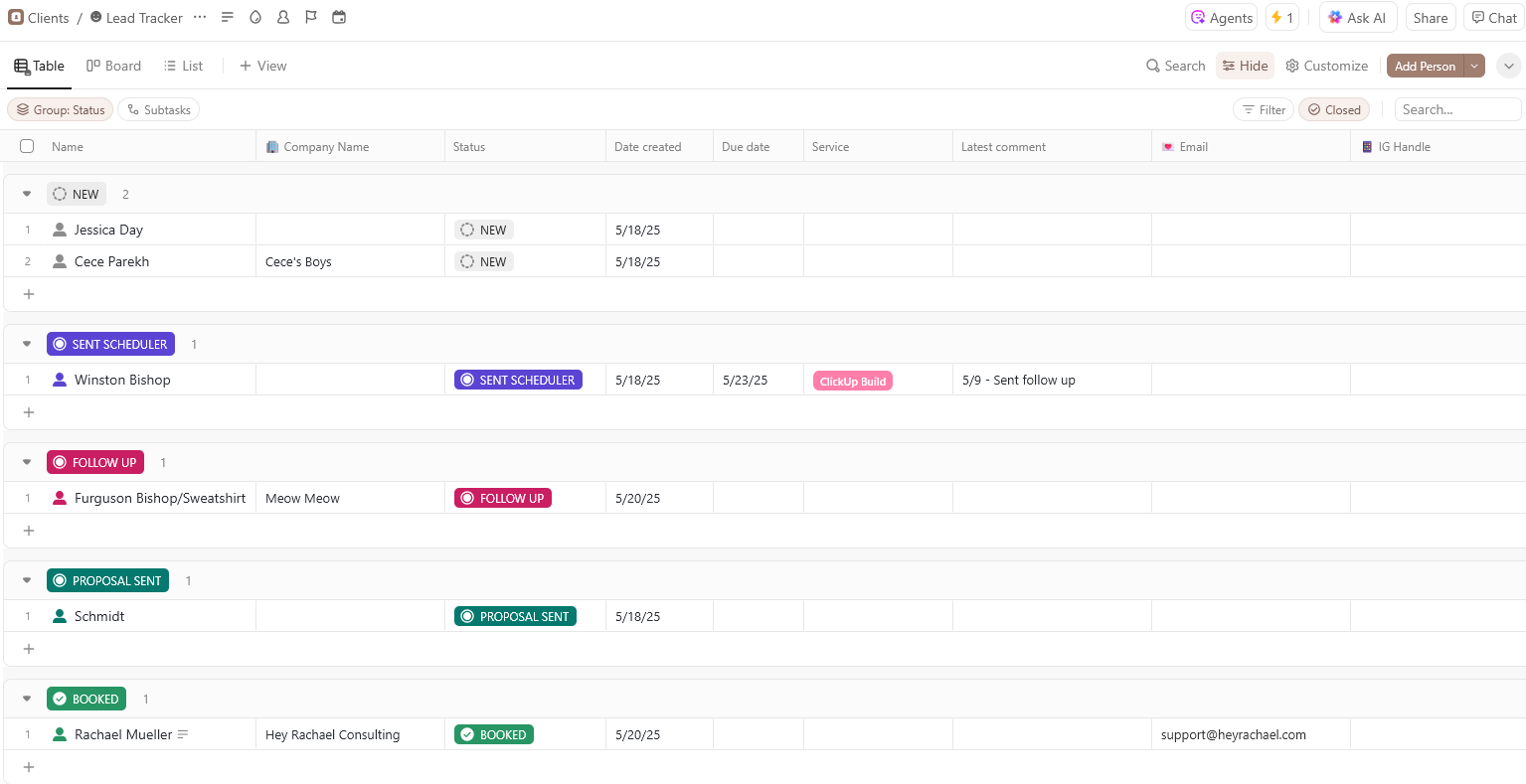
Every new inquiry is added to a spreadsheet, to keep track of and never forget another lead again!
Inside the ClickUp lead tracker, you can organize leads by:
Custom statuses (New Inquiry, Discovery Call Scheduled, etc.)
Follow-up dates so you don't drop the ball
Custom fieldsto track offer type, source, or other personal details about your people you don't want to forget
The Benefits
Every lead is easy to see at a glance.
You always know who to follow up with.
No more missed opportunities or ghosting!
Fun Little Detail
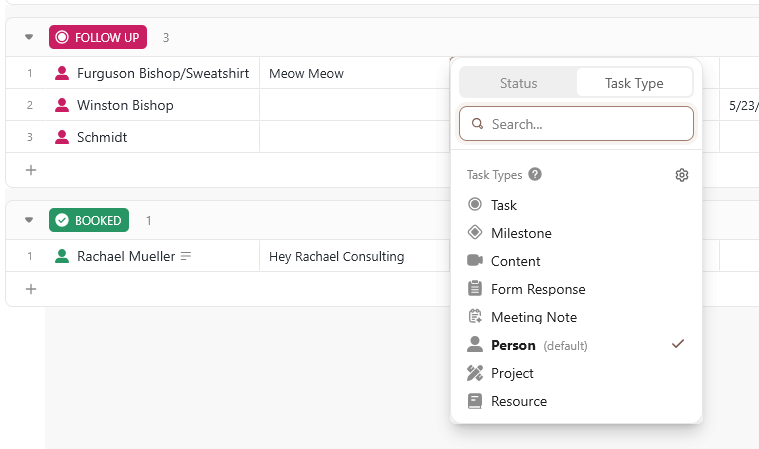
Set up custom ClickUp task types here to set the default as Person, instead of a boring normal task:
Wanna learn how to set up a Zapier ClickUp integration that automatically sends leads from Dubsado into the ClickUp lead tracker?
See step 4!
Streamlining Onboarding & Project Management with ClickUp
The Problem
After a client books, you're manually recreating onboarding tasks every time. You’re reinventing the wheel, worrying if you forgot a step, and wasting valuable time on repeat admin stuff. But onboarding, when done right, shouldn't take you more than a few minutes to kickoff!
The Solution
Create aClickUp project management template for onboarding. Once a client signs their contract in Dubsado, you can even useZapier/ClickUp automations to trigger your onboarding template to launch automatically in ClickUp (more on this later!)
Inside your onboarding ClickUp task template, you’ll have:
Pre-loaded project tasks for every offer
Custom statuses to track progress
You can even track your time in here!
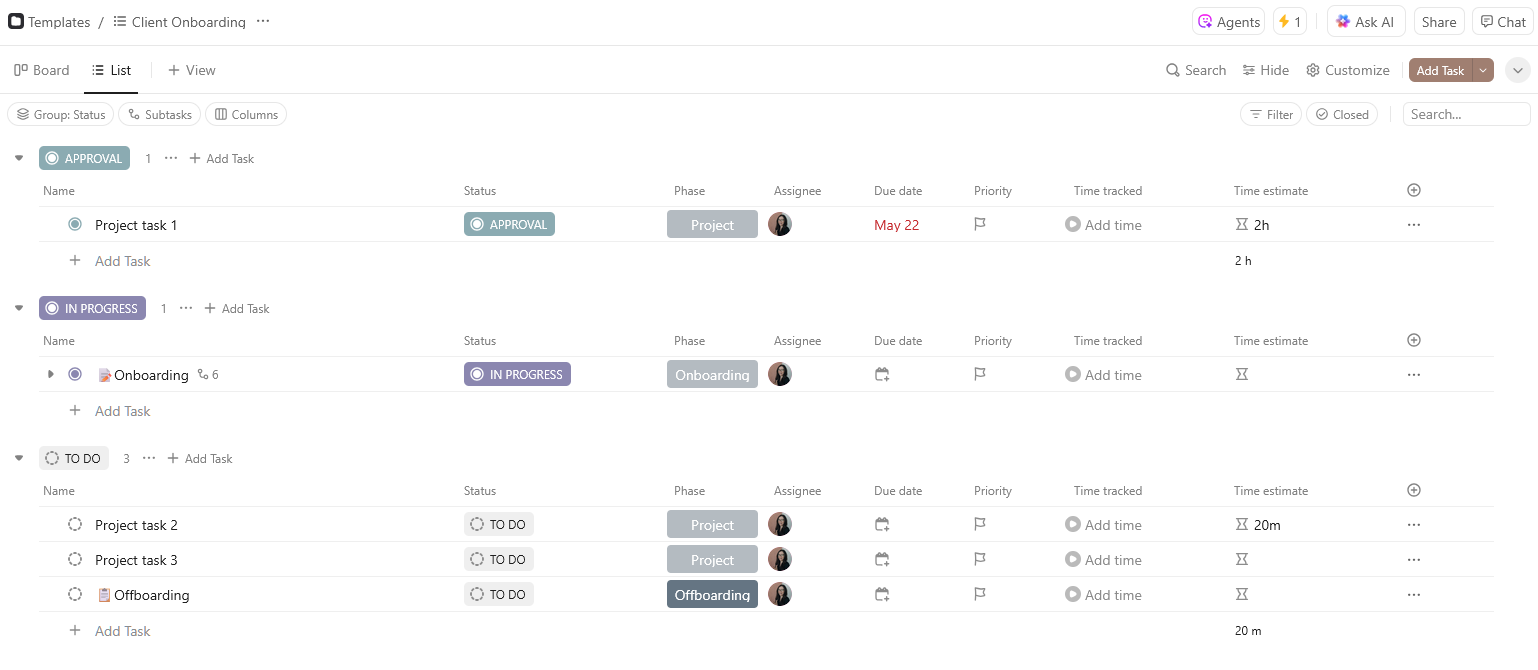
I recommend creating a different template for each offer/package you have.
The Benefits
Consistent onboarding process for every client
No more missed steps or guessing what happens next
Easy to share with clients, or add in your team members and get to work!
Organizing Your Entire Brain
The Problem
Your business is so much more than client work. You’ve got:
Social media and email content to plan
Admin tasks to manage
Team operations and SOPs
Financial tasks
Even personal to-do’s
And they’re all floating around in your head (or 16 sticky notes) - not a great solution!
Inside your ClickUp setup, you might create spaces for:
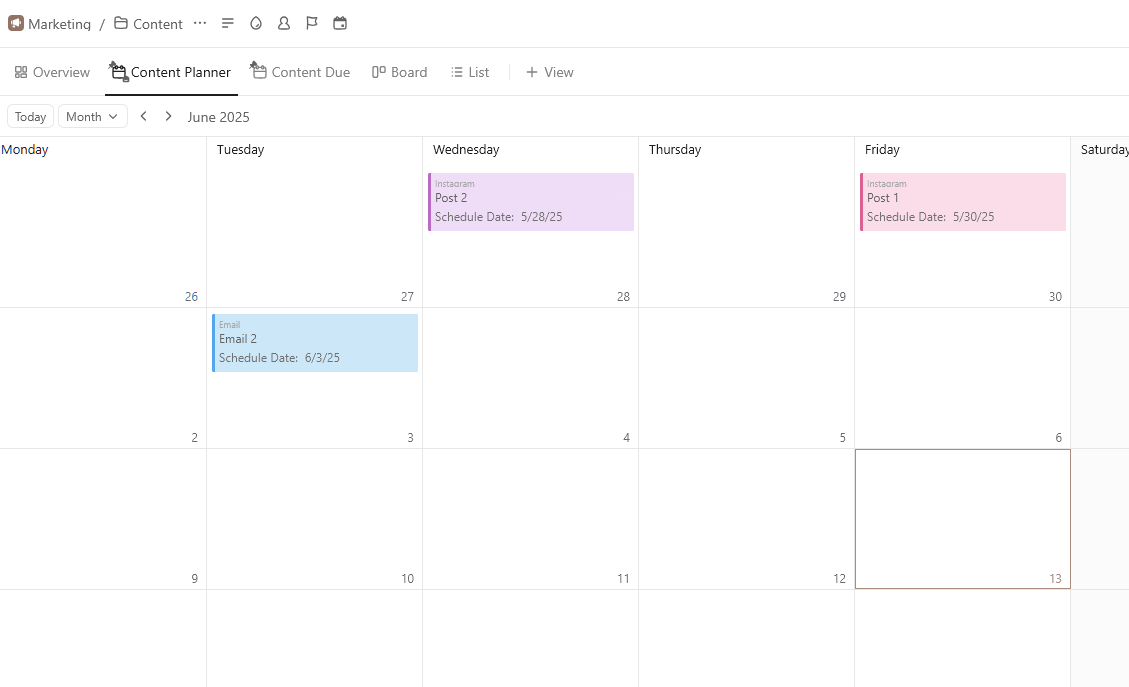
Marketing content calendar
CEO-level admin & finance tasks
Team management and SOPs
Internal projects & offers
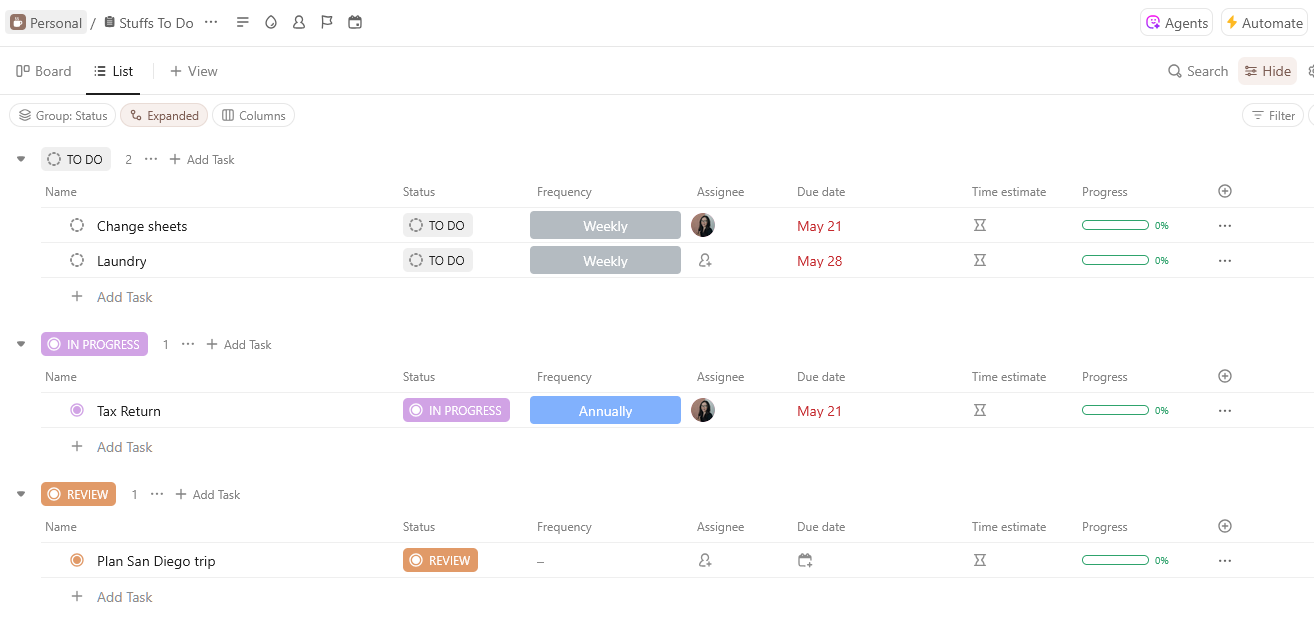
Personal tasks and reminders (because life)
Some examples of a Marketing Calendar or personal list:
The Benefits
One place to see everything you’re managing (without feeling overwhelming)
Recurring tasks so you never forget to do things on the regular
A home base to braindump everything; say goodbye to random phone notes and Google docs!
Zapier: The Secret to Connecting Dubsado & ClickUp
The Problem
Even with two amazing platforms, the missing piece is connecting them so you don’t have to manually move info back and forth (or forget completely). That’s where Zapier ClickUp integrations come in.
A few examples of what you can automate:
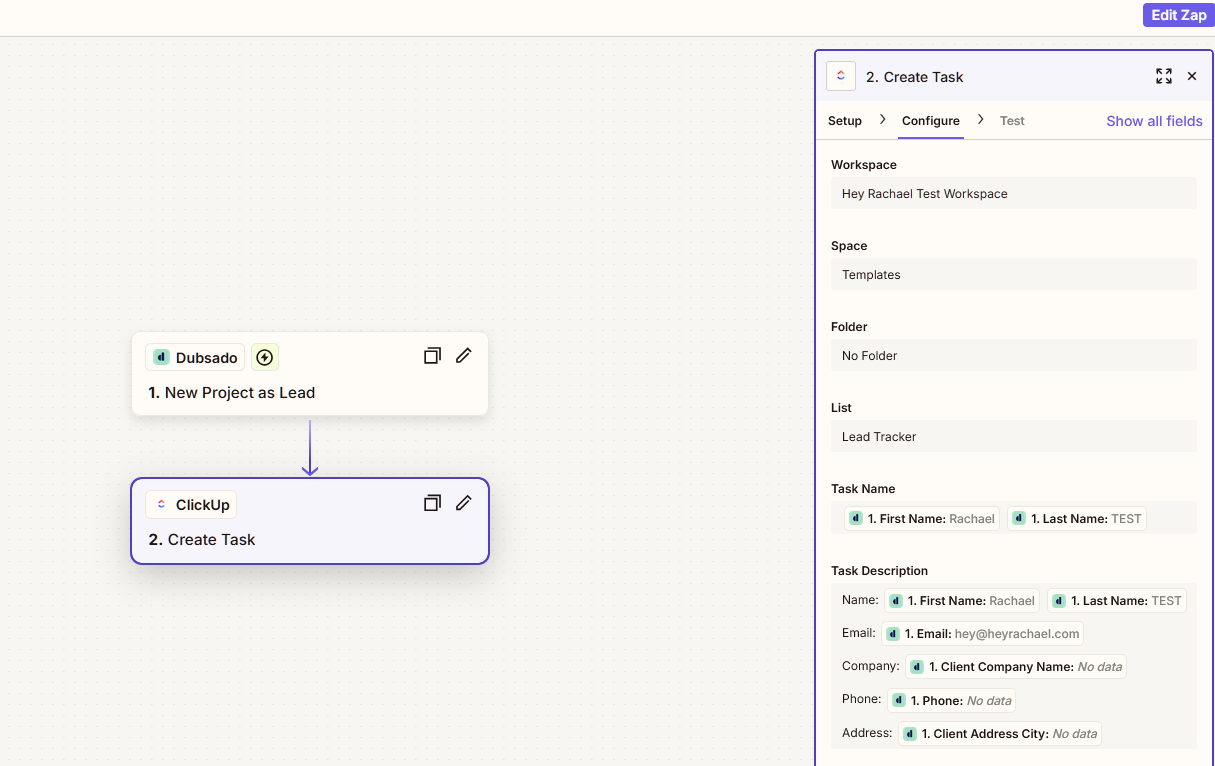
New Dubsado lead → Create new task in the ClickUp Lead Tracker with all their info
Signed contract in Dubsado → Trigger project tasks in ClickUp and start onboarding!
Here's an example how you might set this up in Zapier:
The Benefits
Fully automated handoff between your CRM and project management
Less manual data entry (which means fewer mistakes)
Your business keeps moving, even when you’re offline!
Your Backend Can Work for You (Not Against You)
By pairing Dubsado and ClickUp, you’re building a true backend system that finally supports your business, without adding more to your plate.
✅ You’re tracking leads without dropping the ball
✅ You’re onboarding clients without recreating the wheel
✅ You’re organizing your whole business in one place
And best of all? You’re freeing up your time to focus on your clients, and actually running your business!
Curious what this looks like for your business?
Download your Free ClickUp Template to get your brain organized and project templates ready to go.
Every business is different. If you want to talk through what systems could work for yours, let's connect.
Liked This Article? Pin It For Later!